
LiveTree
Daily Affirmations & Self-Care (by egorovsa)
Account deletion
You can delete your LiveTree account in two ways: request deletion from our team (using your Profile Id from the app), or remove your profile yourself in the app.
1. Delete your account with our help
LiveTree is the name of this app. Profile Id is the name of the identifier field on the Profile screen (see below).
Steps to delete your account:
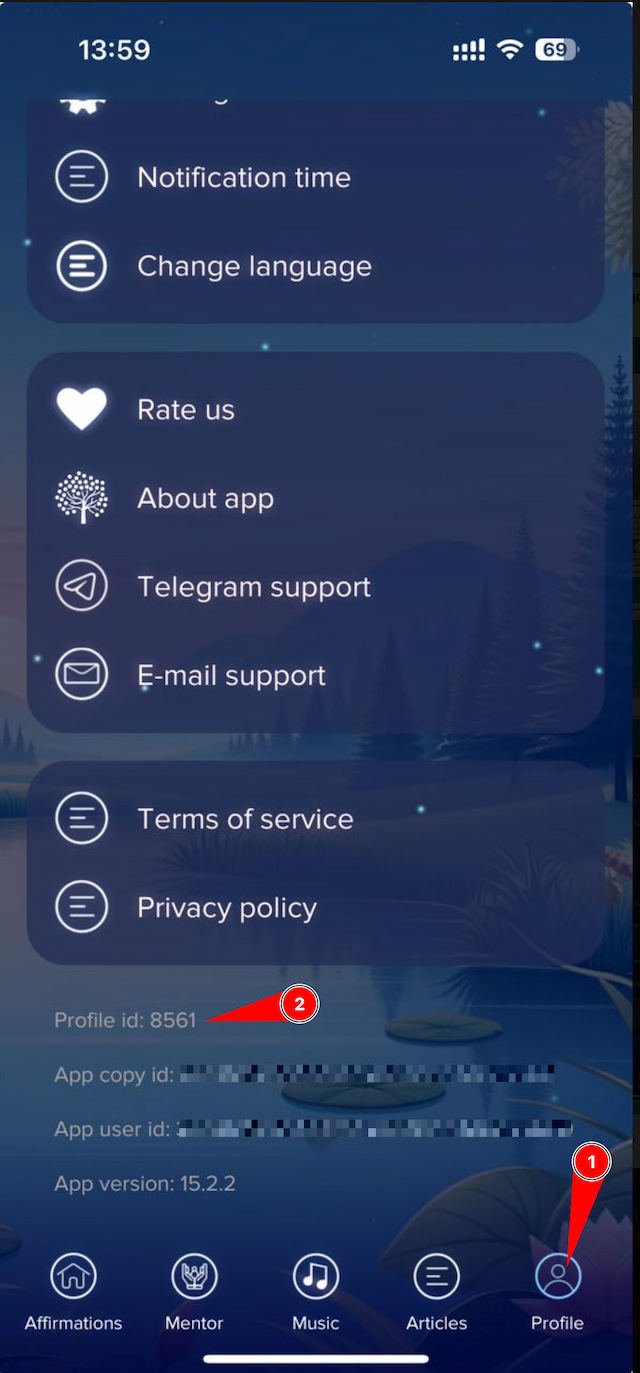
Copy your Profile Id from the Profile screen
Open the LiveTree app and go to Profile. Scroll to the bottom of the screen — you will see service / technical information including your Profile Id. Copy that value; you will need it in the next step.
Email us your deletion request
Send an email to i@live-tree.app from the address associated with your account. Use the text below and replace Profile Id with your actual Profile Id from the app.
I would like to delete my account in the app LiveTree. My Profile Id is Profile Id.
We process your request
After we receive and verify your request, your account and related data will be deleted. We will process it within 30 days.
2. Delete your profile yourself in the app
If you can use the app, you can delete your account without contacting us — follow these steps on the Profile screen.
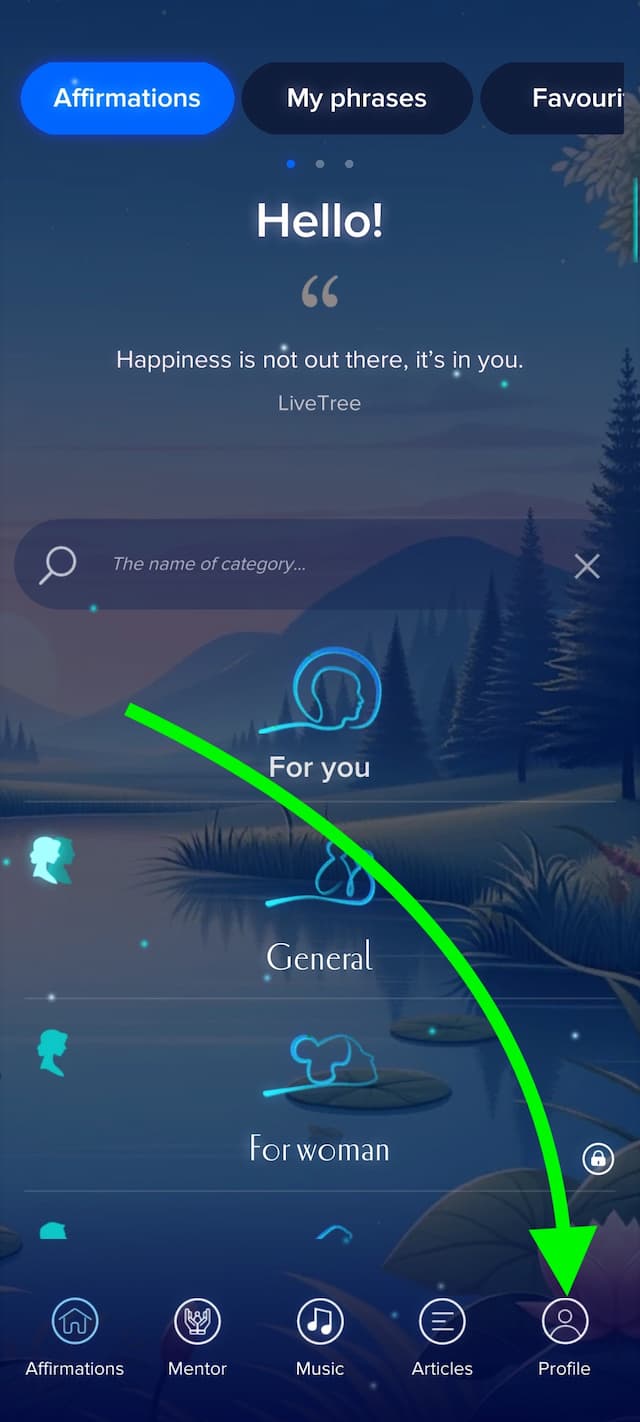
Go to the Profile page
Open the LiveTree app and tap on the Profile icon to access your account settings.
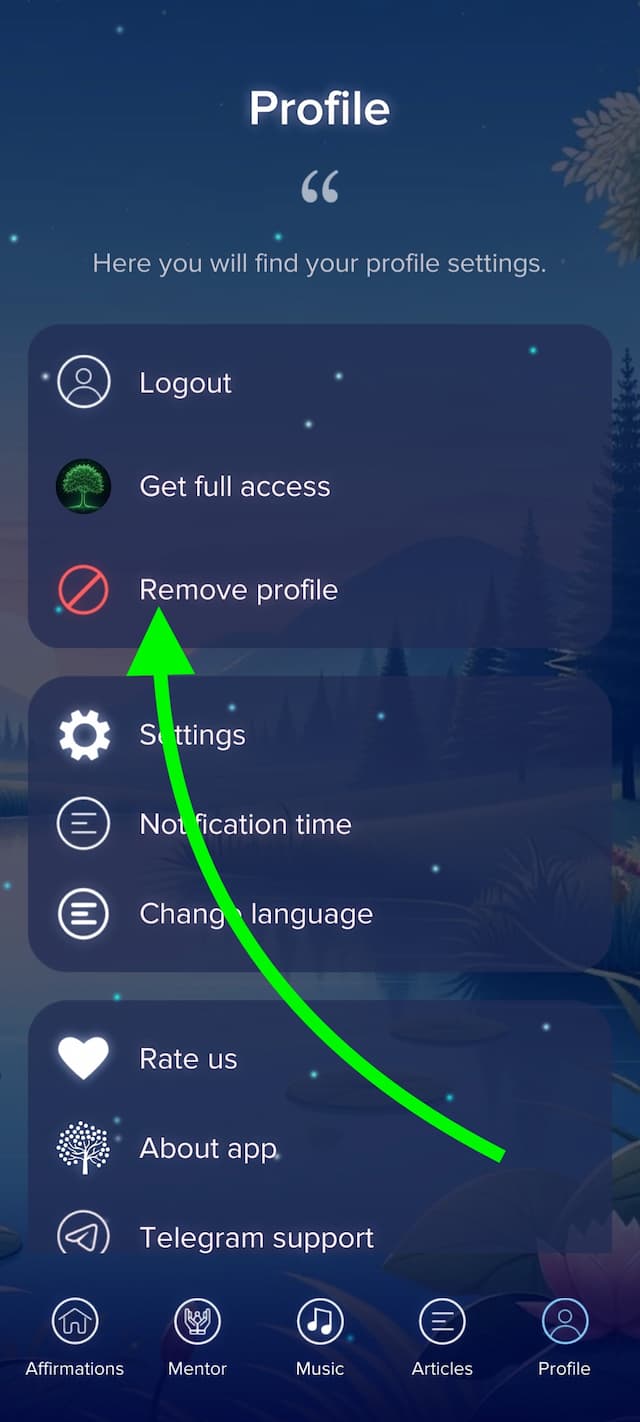
Tap "Delete profile"
In the Profile section, find and tap the "Delete profile" option to initiate the account deletion process.
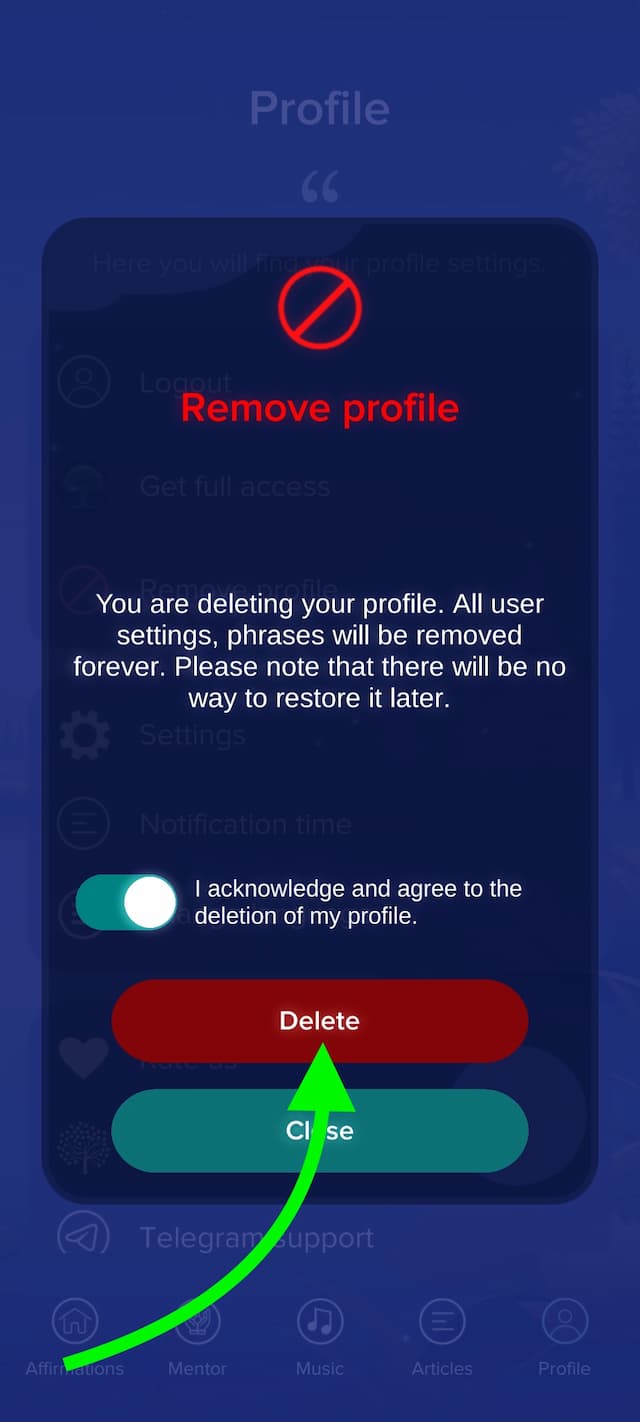
Confirm deletion
Read the confirmation message carefully and tap to confirm. Once confirmed, your account and all associated data will be permanently deleted.
Download LiveTree
Take the First Step Toward Positivity – Download the App & Start Cultivating Your Path to Well-Being Today!